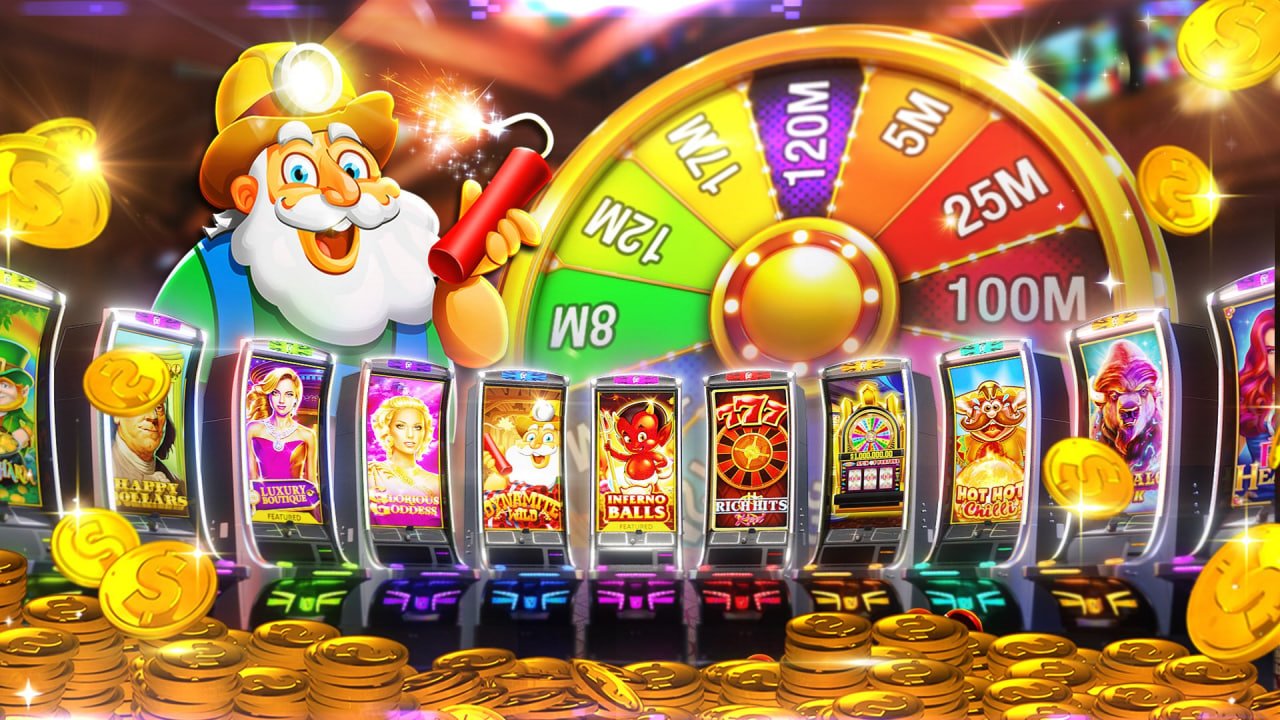
71bet App – Your Full Casino in Your Pocket, the Best Gaming Experience on Android & iOS

Anywhere, anytime — enjoy slots, Live Casino, Fish Games, and Bingo with the 71bet app. Fast loading, a smooth interface, and secure payments, all in one place.

Download the App Register
71bet
🎰🐟🎴🎯
500+ Games
10 MB App Size
500+ Games Available
4.8★ User Rating
24/7 App Support

Why use the 71bet app?

Smartphones are now an inseparable part of daily life. Whether on a bus, in a rickshaw, during an office break, or lying in bed at night — people want to do everything from their phones. 71bet understands this reality and has built a fully featured mobile app to match.

You can play through a browser, but a dedicated app is a completely different experience. Pages load faster, you get instant bonus alerts via push notifications, and you can log in in seconds using fingerprint or face unlock.

The 71bet app is available on both Android and iOS. At around 10 MB, it runs smoothly on older phones without any issues.

Quick Tips
  • Keep push notifications on after installing the app — so you never miss a special offer.
  • With biometric login enabled, you won't need to enter your password every time.
  • Keep the app updated to get the latest games and features.

71bet

Which platforms is it available on?

🤖

Android App

The 71bet app works on any device running Android 6.0 or above. The APK file can be downloaded directly from our site. You'll need to enable "Unknown Sources" before installing.

Android 6.0+ ~10 MB Secure APK
Android Download
🍎

IOS App

The 71bet app is also available for iPhone and iPad users. It runs exceptionally smoothly on iOS 13 and above. You can also add it to your home screen as a PWA via the Safari browser.

iOS 13+ ~12 MB iPhone & iPad
iOS Download
71bet

How do I download the app?

Installing the 71bet app on your phone takes just a few steps — the whole process won't take more than 3–5 minutes.

For Android
1
Visit Site

Open the 71bet download page

2
Download APK

Tap the Android button

3
Allow

Enable Unknown Sources from Settings

4
Install

Open the Downloaded APK

5
Log In

Log in to your account and play

Start Playing!

Claim Your Bonus & Have Fun

For iOS
1
Open Safari

Open 71bet in Safari on your iPhone

2
Download Page

Tap the iOS download button

3
Share button

Select "Add to Home Screen"

Home Screen!

Launches just like a native app, straight from the icon

Key App Features

Fast Loading

Optimized code keeps game load times down to just 2–3 seconds

Biometric Login

Fast, secure login with fingerprint or Face ID

Push Notifications

Get instant updates on new bonuses, tournaments, and offers

SSL Security

Your data and transactions are protected with 256-bit encryption

Full-Screen Mode

Dive in with a full-screen experience while you play

Instant Payment

Direct deposits & withdrawals via bKash, Nagad, and Rocket

Bangla Interface

The entire app is in Bangla — no foreign language hassle

Auto Update

Automatic update notifications whenever a new version is released

Which games can I play on the app?

The 71bet app gives you the complete game lobby, just like the website. Slots, Live Casino, fish shooting, bingo — every category works exactly the same in the app.

The slots section features 300+ games from dozens of providers including Pragmatic Play, Habanero, and CQ9. The spin button is designed larger for mobile screens, making it easy to tap with your finger.

The Live Casino section features table games from Evolution Gaming and Pragmatic Play Live. HD live dealer video streams run seamlessly on the app. For the best experience, use a 4G or Wi-Fi connection.

The fish shooting section of the 71bet app features popular titles from JILI and JDB. Touchscreen controls make aiming easier and more fun, and quick fingers go a long way.

The Bingo experience is just as smooth on the app. Card layouts adjust automatically for larger screens, and on smaller screens you can simply scroll to view them.

App-Exclusive Benefits

  • Exclusive monthly cashback offers for app users
  • Extra 5% bonus on your first deposit made through the app
  • Get flash bonus alerts before anyone else via push notifications
  • Live chat support can be accessed directly from the app
  • Dark Mode & Custom Theme Settings
71bet

App vs Browser — Comparison

You can play 71bet both on the app and in the browser, but the app comes with a few extra perks you won't get on the browser.

Features 71bet App Browser
Loading Speed ✓ Fast Medium
Push Notifications ✓ Yes ✗ None
Biometric Login ✓ Yes ✗ None
Full-Screen Gameplay ✓ Yes Limited
App-Exclusive Bonuses ✓ Yes ✗ None
Offline Mode ✓ Partial ✗ None
Battery Usage ✓ Low More
All Games Available ✓ Complete ✓ Complete
71bet

Common Issues & Fixes for the App

New users sometimes run into a few common issues. Here are the solutions to the most frequently encountered problems.

APK won't install: To install apps from outside the Play Store on Android, go to Settings → Security → Unknown Sources and turn it on. On some phones, this option is under Settings → Apps → Special App Access. Once enabled, the APK will install without any issues.

App keeps crashing: Low storage can cause the app to crash — keep at least 500 MB free. Running an outdated version can also trigger this issue, so make sure the app is up to date.

Unable to log in: If you forget your password, reset it from the 71bet login page. Clearing the app cache can also resolve most login issues.

Games won't load: Live games may not load on a slow connection. Try connecting to Wi-Fi. If you prefer mobile data, you'll need at least a 4G connection.

Not receiving push notifications: Check that notification permissions for the 71bet app are enabled in your phone's Settings. Notifications won't come through if Battery Saver or Do Not Disturb mode is active.

If your issue still isn't resolved, reach out to 71bet's 24/7 live chat support. Help is available in Bangla, so there's no language barrier.

App Security Features

End-to-End Encryption

Every transaction and piece of personal data is protected with 256-bit SSL encryption.

Two-Factor Authentication

OTP verification is required at login, so no one else can access your account.

Privacy Protection

71bet never shares your personal information with third parties.

Licensed Platform

Operated under an international gaming license, ensuring fair play at all times.

Secure Payment Gateway

BKash, Nagad, and Rocket payments are processed directly through their official APIs.

Regular Security Updates

The app receives regular updates to keep you protected against the latest cyber threats.

Frequently Asked Questions

Yes, the 71bet app is completely free to download and install for both Android and iOS. You only need a balance to play games — there's no fee to use the app itself.

The app runs on Android 6.0 (Marshmallow) or higher. Devices with less than 1 GB of RAM may experience some lag in Live Casino games. Slots and fish games generally run fine on all types of phones.

Yes, you can deposit and withdraw directly through the 71bet app via bKash, Nagad, and Rocket. Payments are just as fast and secure as on the website. Withdrawals are typically processed within 15–30 minutes.

When a new version is available, you'll receive an update notification inside the app. Simply tap it to download and install the latest APK. On iOS, refreshing the PWA page in Safari will automatically load the latest version.

Yes, 71bet uses a single account. You can log in with the same username and password across the app, mobile browser, and desktop. Your balance and bonuses remain the same across all platforms.

The 71bet app is currently not available on the Google Play Store or Apple App Store. On Android, you can install it by downloading the APK directly. On iOS, you can add it to your home screen as a PWA via Safari. Both methods are completely safe.

Download the 71bet App Now

Free to download on both Android and iOS. Download now and get a bonus on your first deposit.

বাংলা